Tutorials

How to Create a Google Play Developer Account - Part One

Hello to all our regular ServerNet followers, in this post we're going to go over how to register and create a Google Play developer account. I invite you to join me on the ServerNet blog.

Tutorials
Hello to all our regular ServerNet followers, in this post we're going to go over how to register and create a Google Play developer account. I invite you to join me on the ServerNet blog. Before we get started, there are a few things you need to know about Google Play's restrictions. First, as much as possible, you should register with an email that was created outside the country, or one created via a VPN with a different IP address, and you should never have logged into it from an Iranian IP. Because there's a chance Google will block our account, and that way the money we spent will be wasted. Also, every time you want to log into your Google Play account, you'll need to use a VPN.   The cost of creating an account is $25, which must be paid through international accounts such as PayPal or Mastercard, and these accounts also need to be created for you by someone outside the country. Well, after all this hassle, if you still want to have your own account, let's move on to the tutorial.

Step One:

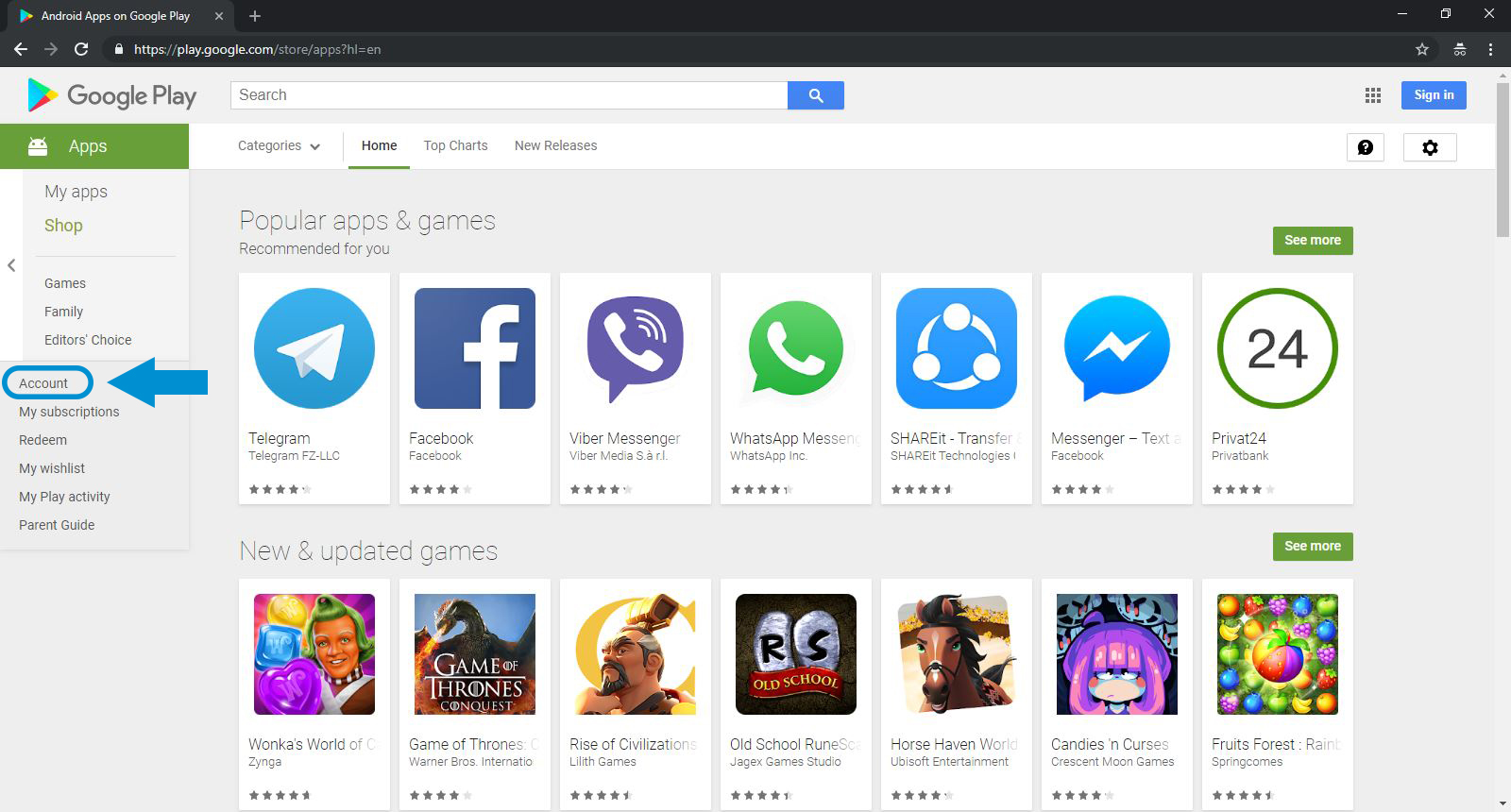
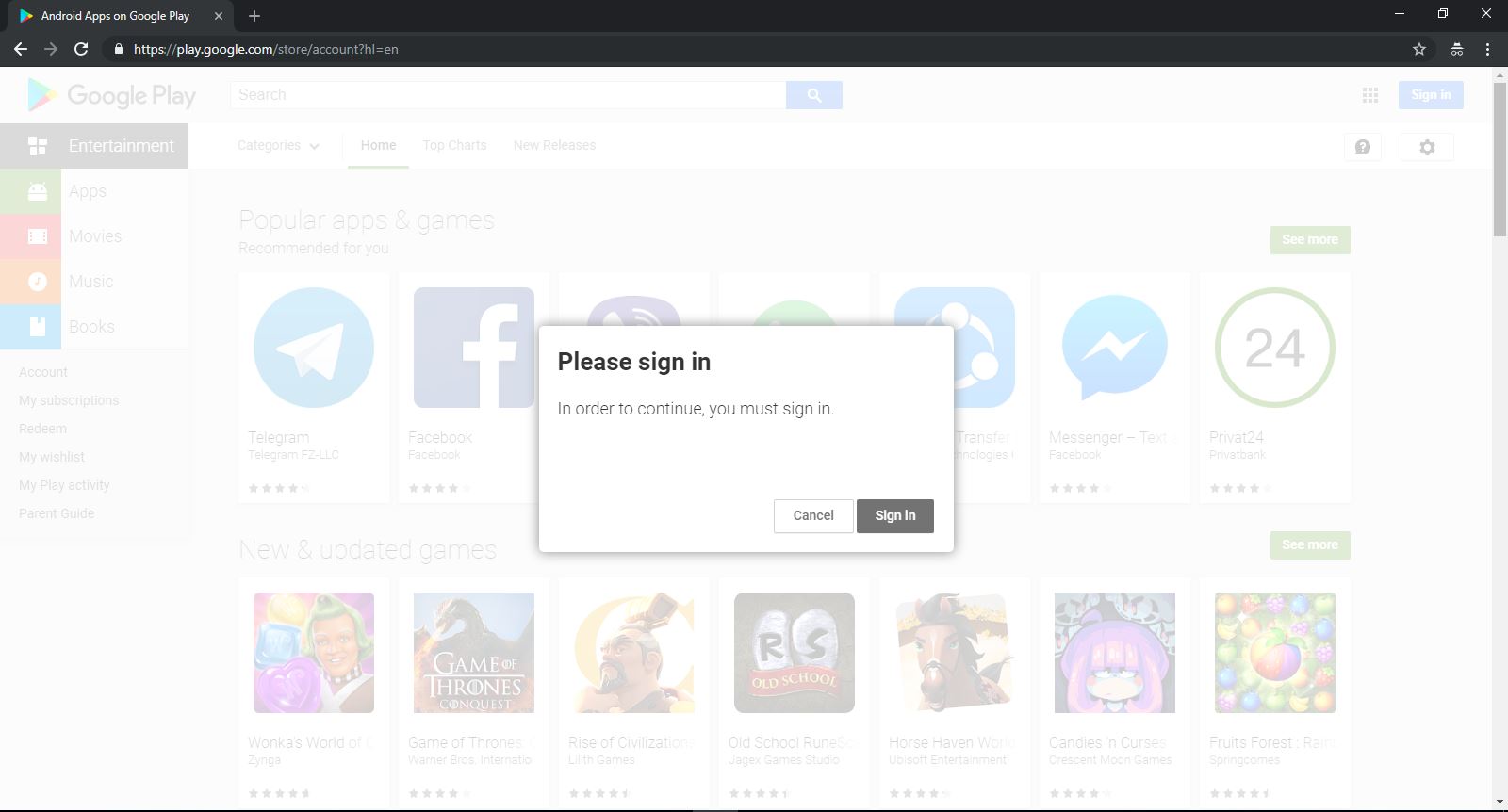
Google Play developer account We go to the Google Play website and select the Account option. Google Play account We select the Sign in option.
Step Two:
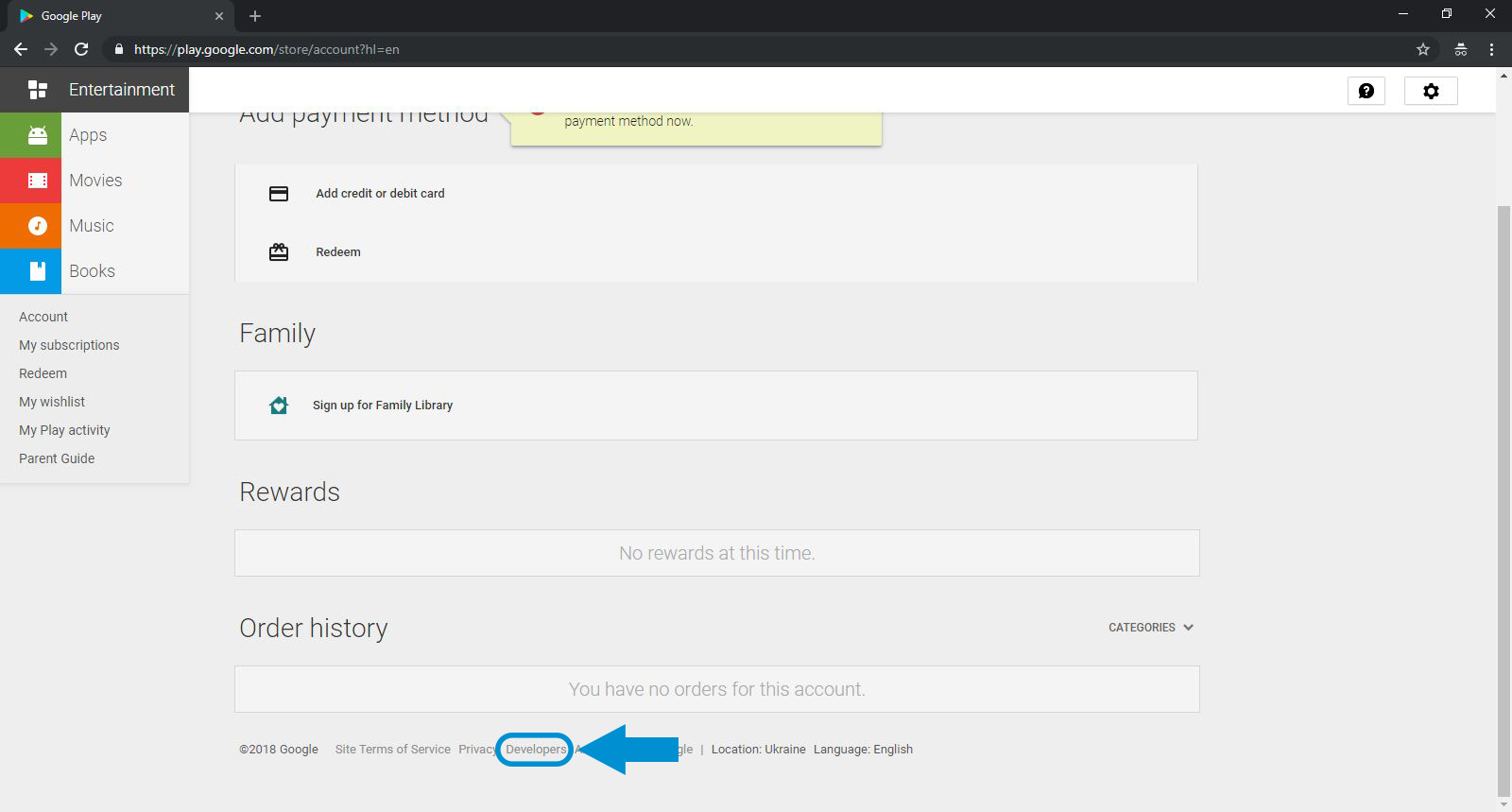
Create a developer account on Google Play Create a developer account on Google Play From the bottom bar of the page, we select the Developers option.

Step Three:
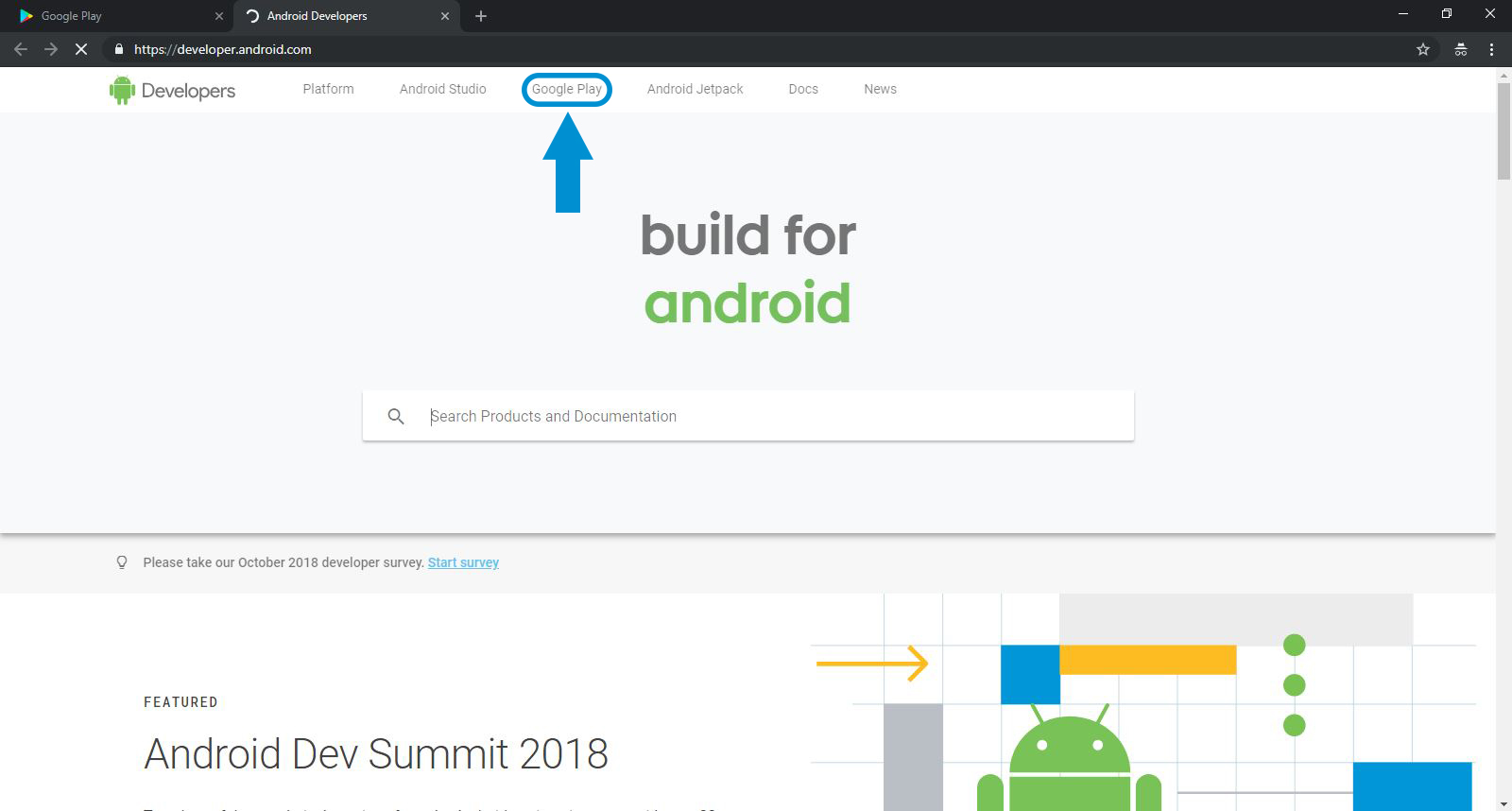
Upgrade Google Play account From the top bar of the page, we go to the Google Play section.

Step Four:
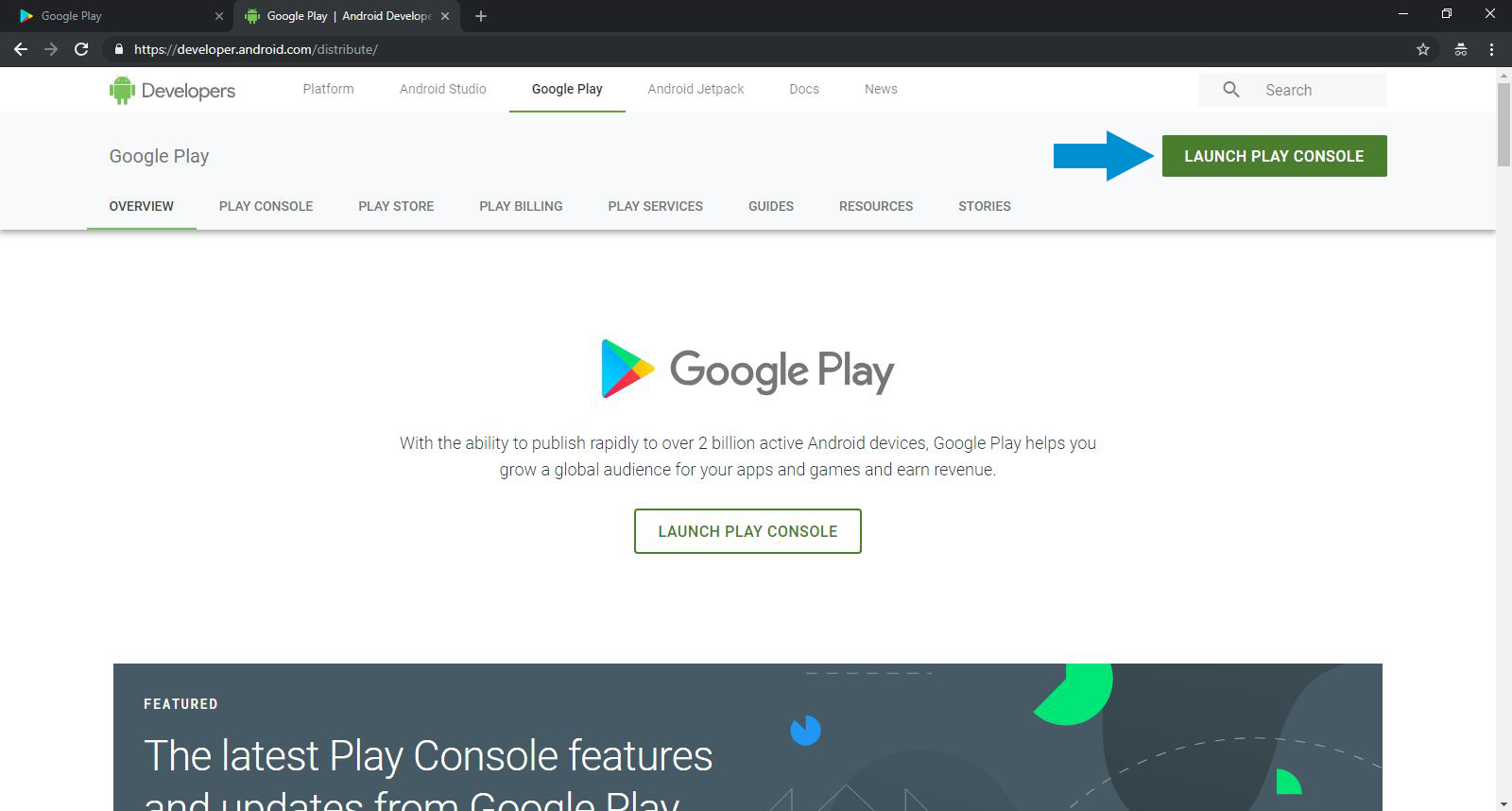
How to upgrade a Google Play account We select the LAUNCH PLAY CONSOLE option.

Step Five:

Account development
  1. We check that box, which indicates that we accept the Google Play terms.
  2. This option also takes us to the payment section.

Step Six:
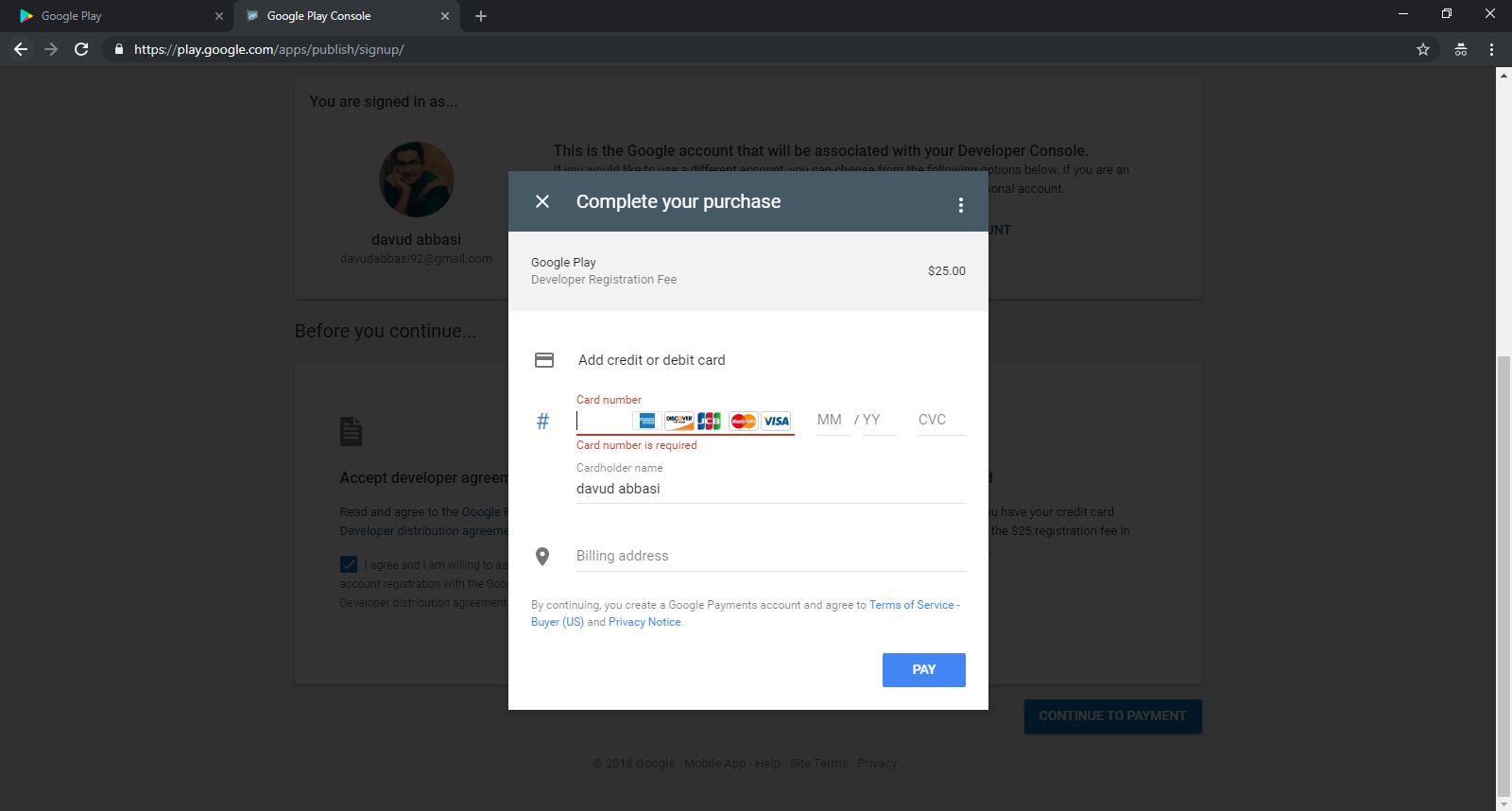
How to upgrade a Google Play account Enter your international account information and finally click the payment button. Google Play development As you can see, we've also checked the payment section.
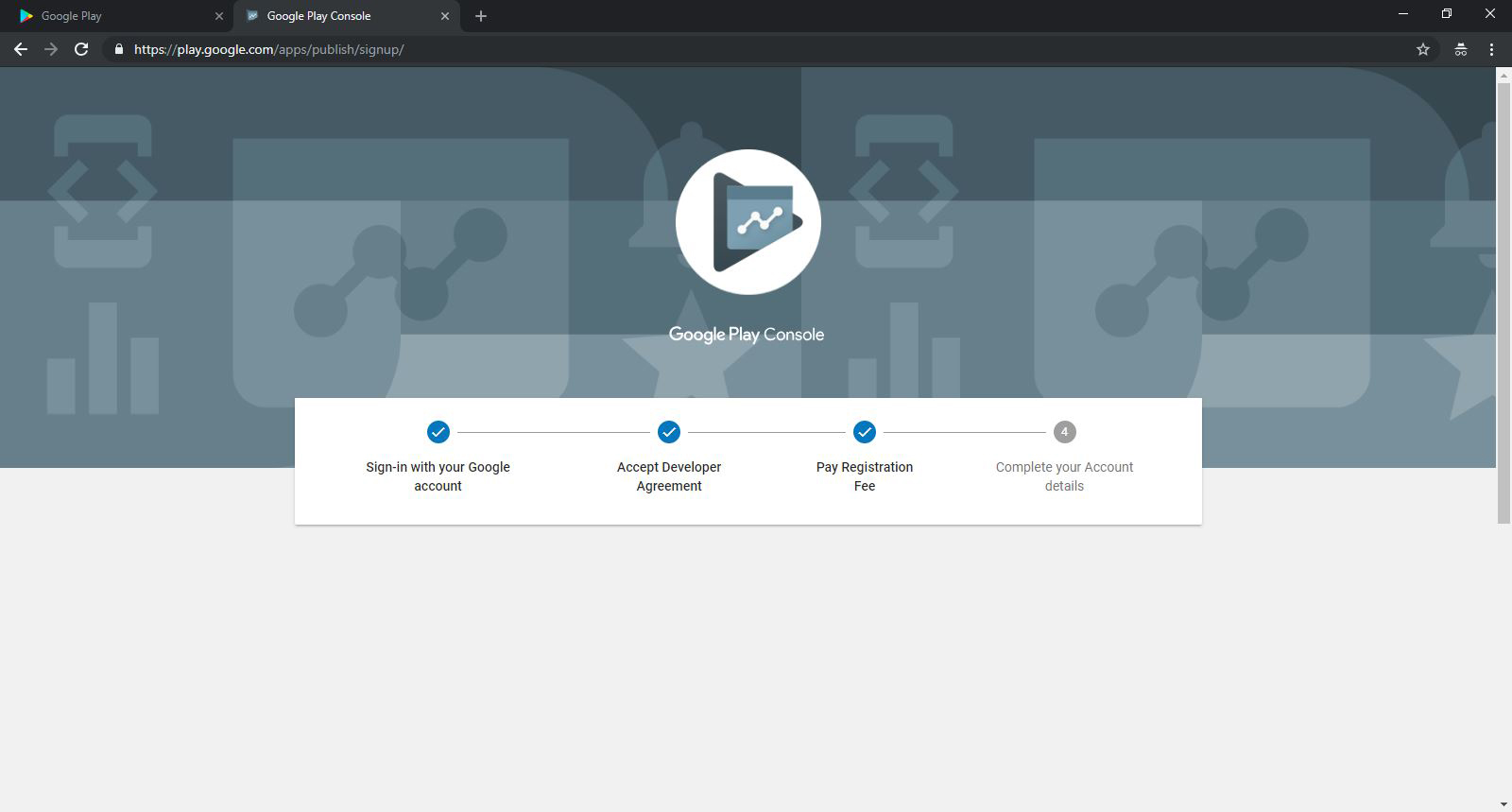
Step Seven:
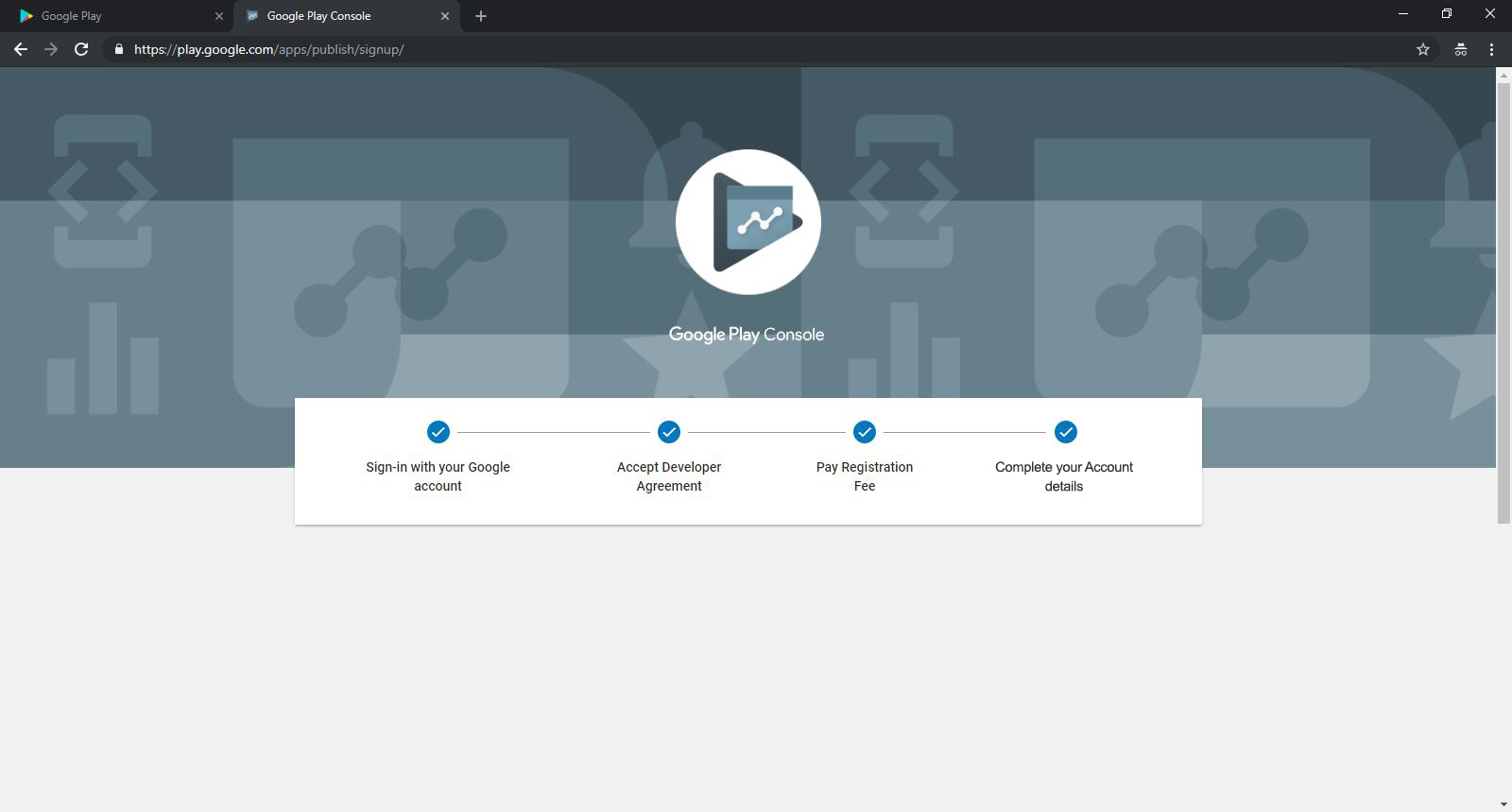
Google Play In this section, the additional information for your account is collected, and finally the account is created, and you can log into your account using the link below.

Create a developer account on Google Play

Now, to be able to publish your app, I invite you to also watch the tutorial below. I should also mention that at ServerNet we handle publishing on Google Play, and you can contact us to publish your app on Google Play and place your order.
ServerNet Support

ServerNet engineering & editorial team — specialists in infrastructure, networking and web hosting.

WordPress Hosting
Share:

Comments 0

No comments yet — be the first!

Leave a comment

Related service

WordPress Hosting

A purpose-built WordPress stack on LiteSpeed Enterprise and NVMe — auto-install, secure updates, staging and caching that keeps you on top of Google.