How to Publish Your App on Iran Apps
With the continuation of the app publishing tutorial on Iran Apps, we're here for you. Please stay with us. Before starting this article, be sure to check out the first part of the tutorial on publishing apps on Iran Apps.
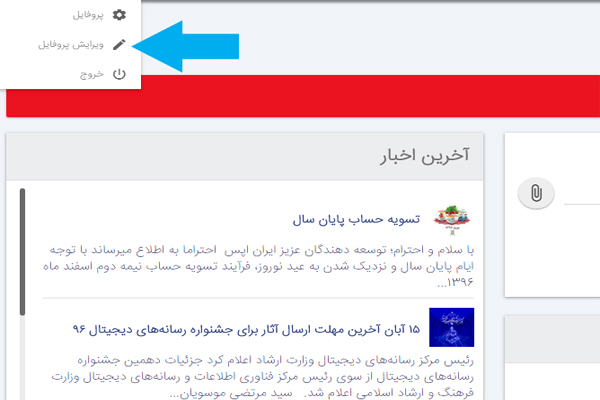
To publish your app, you first need to complete your user information, so click on the "Edit Profile" option.
Carefully fill in your user details and contact information according to the form provided, then click the "Save" button.

To publish your app, go to the "Apps" section from the right-hand menu in your profile and click on the "Add New App" option.

In this section, upload your desired APK file and click the "Submit" button to complete the file upload.

After the app upload is complete, you'll be taken to the following page where you need to enter the app's information and details.
First, upload the images and screenshots of the application in this section.

In the following sections of this page, enter the app information, developer information, and pricing.
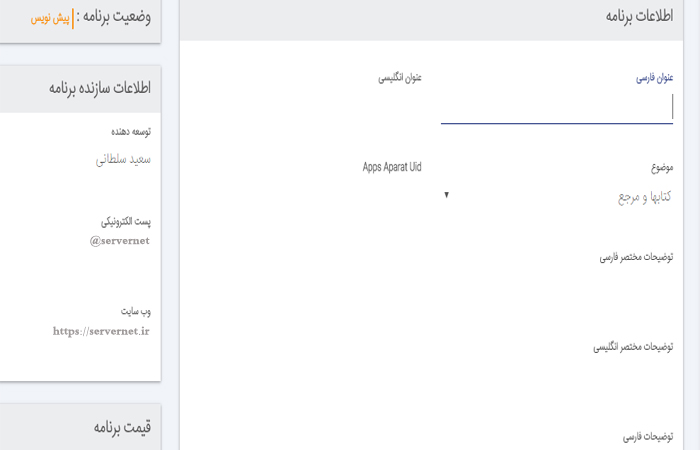
Finally, after completing all the steps and uploading the app-related images, click "Publish" so the app goes into pending approval and is eventually published once approved.
Comments 0
No comments yet — be the first!